Please ensure Javascript is enabled for purposes of website accessibility Page 9: Provide Accommodations
  • IRIS Center
  • Resources
    • IRIS Resource Locator
      Modules, case studies, activities, & more
    • Evidence-Based Practice Summaries
      Research annotations
    • High-Leverage Practices
      IRIS resources on HLPs
    • Films
      Portrayals of people with disabilities
    • Children's Books
      Portrayals of people with disabilities
    • Glossary
      Disability related terms
    • For PD Providers
      Learning pathways, PD facilitation toolkit, & more
    • For Faculty
      Tips for using IRIS resources, coursework planning forms, & more
    • Website Navigation Videos
      Getting around our Website & modules
    • New & Coming Soon
      Latest modules & resources
    • IRIS Archived Resources
      Modules, alignment tools, & more
  • PD Options
    • PD Certificates for Educators
      Our certificate, your PD hours
    • Log in to Your IRIS PD
    • For PD Providers
      Learning pathways, PD facilitation toolkit, & more
    • IRIS+ School & District Platform
      A powerful tool for school leaders
  • Reports
    • Internal IRIS Reports
      Reports on IRIS use & accomplishments
    • External Evaluation Reports
      Evaluations of the IRIS Center
    • IRIS Stories
      Our resources, your stories
    • News & Events
      What, when, & where it's happening
  • Help
    • Help & Support
      Get the full benefit from our resources
    • Website Navigation Videos
      Getting around our Website & modules
  • Youth with Disabilities in Juvenile Corrections (Part 1): Improving Instruction
Challenge
Initial Thoughts
Perspectives & Resources

How is teaching in a juvenile correction setting different from teaching in a public school setting?

  • 1: Education in Juvenile Justice Settings
  • 2: Intake and Treatment Plan Procedures
  • 3: Instructional and Behavioral Challenges

How do teachers address the behavior issues of youth in these settings?

  • 4: Use Positive Behavioral Approaches
  • 5: Create a Behavior Management Plan

How do teachers meet the academic needs of youth in juvenile corrections settings?

  • 6: Foundations of Effective Instruction
  • 7: Use Evidence-Based Practices
  • 8: Incorporate Additional Instructional Practices
  • 9: Provide Accommodations

Resources

  • 10: References, Additional Resources, and Credits
Wrap Up
Assessment
Provide Feedback

How do teachers meet the academic needs of youth in juvenile corrections settings?

Page 9: Provide Accommodations

Even when teachers use EBPs and other effective strategies, some students, particularly those with disabilities, will need accommodations—that is, changes made to the delivery of classroom instruction or to the accompanying materials or assessments. Students with disabilities who use accommodations are required to learn the same content at the same level of proficiency as their peers who do not use accommodations. Accommodations do not change the expectations for learning and do not reduce the requirements of the task. For example, a student who lacks the fine-motor skills needed to physically write a required report could satisfy the grade standard by using an accommodation like speech-recognition software. The student would dictate the report, and the computer would “write” it.

Instructional and testing accommodations are generally grouped into four categories: presentation, response, timing and scheduling, and setting. Each type of accommodation is designed to help the student demonstrate his or her knowledge while removing a barrier of some kind. Accommodations should be individualized and not based on a specific disability category and should be included in the student’s IEP. Additionally, some of these accommodations can be bundled—or used in combination—depending on a student’s individual needs.

Type Definition Examples
Presentation Presentation accommodations allow a student with a disability to access information in ways other than standard visual or auditory means (e.g., by reading or listening). These accommodations change the way that instruction, directions, and information are presented to students.
  • Graphic organizers
  • Manipulatives
  • Computer accessibility settings that allow content to be read aloud

For more examples of presentation accommodations, click here.

Response Response accommodations allow students with disabilities to complete instructional assignments or assessments through ways other than typical verbal or written responses.
  • Allowed to write answers in a test booklet rather than on a separate answer sheet
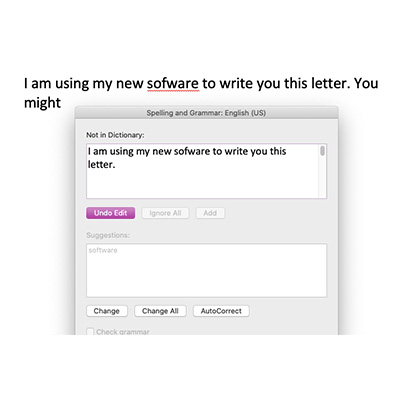
  • Spell checker or grammar checker
  • Use a calculator

For more examples or response accommodations, click here.

Setting Setting accommodations allow for a change in the environment or in how the environment is structured.
  • Seating in area with less noise and distractions
  • Small-group instructional setting

For more examples of setting accommodations, click here.

Timing and scheduling Timing and scheduling accommodations allow students extra time to complete an activity or test. When teachers adjust the timing and scheduling of instructional tasks and tests, they can support students by reducing their fatigue or stress.
  • Breaks, as needed
  • Break large assignments into smaller tasks
  • More time to take tests or assessments

For more examples of timing and scheduling accommodations, click here.

Accommodations might be especially helpful for youth in JC facilities who take online credit recovery courses and high school equivalency exam preparation courses. Not all students, and especially those with disabilities, will be able to access the information in the provided format. For example, students with poor reading skills will not be able to independently read the material on the screen. In this case, the student might benefit from computer software that reads the information on the screen to them. This minor accommodation allows the student to access the information without changing the instructional expectations. The following short video demonstrates an electronic reader in action. A computerized voice reads a section of Rudyard Kipling’s The Jungle Book (time: 0:43).
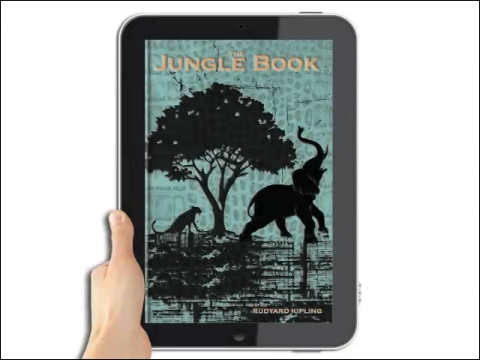
/wp-content/uploads/module_media/jj1_media/movies/jj1_p09_jungle.mp4


Assistive technology (AT) is likewise often helpful in providing accommodations. AT is any device or service that helps a student with a disability to meet his or her IEP goals and to participate in classroom activities to the greatest possible extent. Students can utilize assistive technology to:

  • Communicate
  • Perform academic tasks
  • Use proper seating and positioning
  • Access materials

A sample of AT devices
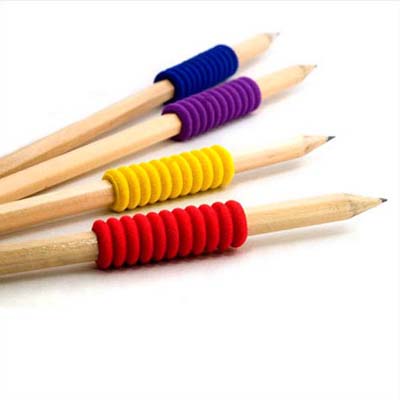
  • Specialized writing tools: Used to develop gross-motor and fine-motor skills such as pencil control and pencil grasp, these tools reduce frustration for students when writing while increasing their writing speed and movement.
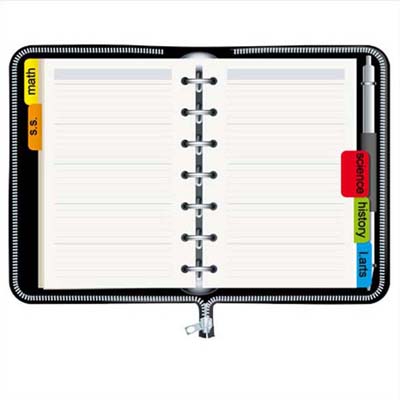
  • Planners: Notebooks or calendars are used to help students keep track of their schedules and upcoming events, as well as to plan how much time is needed to complete an assignment.
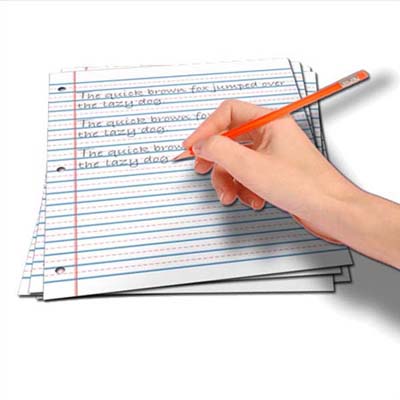
  • Raised-line paper: Raised-lined paper provides visual and tactile feedback to students to write between the lines and is used to help students improve their handwriting skills.
  • Highlighting pens and tape: Bright colors draw a student’s attention to vocabulary terms or other important points in their notes or books. Highlighter tape allows students to temporarily highlight in a textbook without making permanent marks.
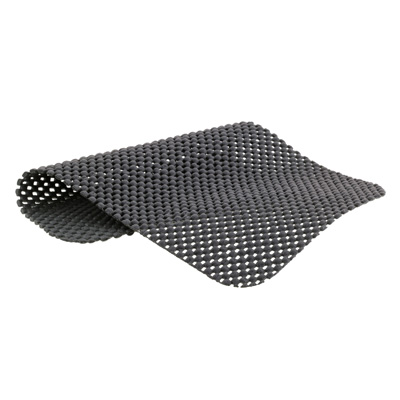
  • Non-slip material: Non-slip material grips both sides of a surface to help students stabilize their paper or notebook on a writing surface and keep items like pencils or markers from rolling off a desk. Some students sit on non-slip mats to help stabilize them while seated.
  • Rubber stamps: Students can use stamps to reproduce letters, numbers, and math functions as an alternative to handwriting.
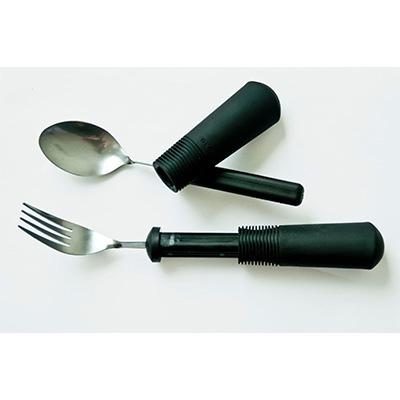
  • Adaptive utensils: These are used to assist students with eating. For example, large grip handles making grasping the utensil easier and a cup with a base and lid can benefit those who spill frequently or who have weak lip control.
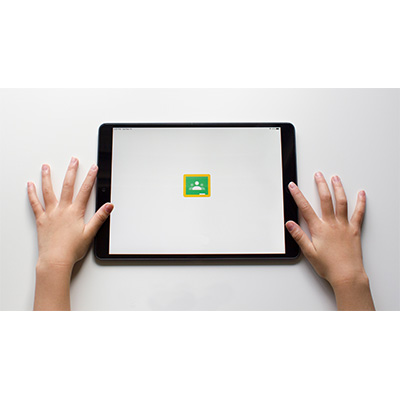
  • Tablet: Any of a number of lightweight, portable computer devices. Tablets typically feature user interface based around touchscreen technology or the use of a pen-like stylus.
  • Calculators: Students who struggle with math can use these small electronic devices to help them to copy, align, and compute math problems on paper.
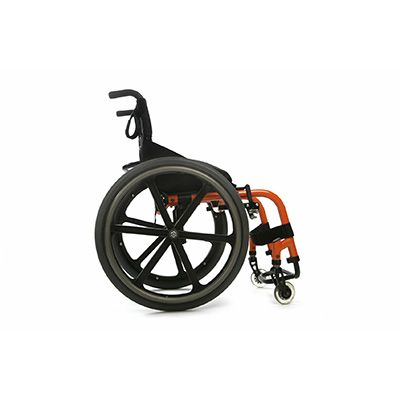
  • Manual wheelchair: These provide mobility to students unable to walk safely or functionally.
  • Timer: Students with learning disabilities may try to increase their reading skills by keeping track of the number of words read correctly in a certain amount of time. A student who has difficulty paying attention might practice staying focused on a specific task until the timer goes off.
  • Audio books: Students can listen to these recorded versions of a book on an audio device (e.g., CD player, MP3 players, iPods).
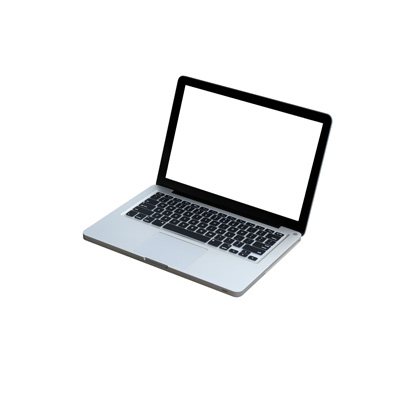
  • Computers: These allow students to use multiple types of software (e.g., word processing, Internet browsers, email, electronic text) to support learning.
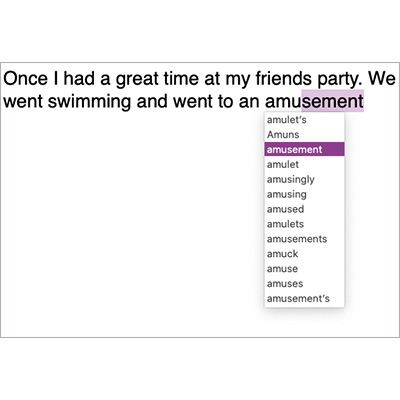
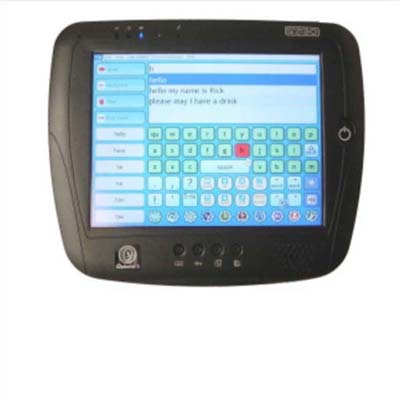
  • Word prediction software: Used to support students who struggle with writing, the software predicts words as the student begins to type. Predictions are made based on the first few letters entered and the frequency with which the word is used. This tool can decrease keystrokes while increasing the accuracy of a student’s spelling, grammar, and word selection.
  • Spellcheck: This software feature, which can be used to support students who have difficulty with spelling, identifies misspelled words and provides a list of correctly spelled words to choose from.
  • Communication devices: Used to help students communicate more easily and effectively, these talking devices have keyboards that include the letters of the alphabet, pictures, and word-keys so that students can produce thousands of sounds, words, and phrases.


Educator Toolbox.

This toolbox lists and describes additional resources related to the information presented on this page. These resources are provided for informational purposes only for those who wish to learn more about the topic(s). It is not necessary for those viewing this module to read or refer to all of these additional resources to understand the content.

  • Universal Design for Learning: Designing Learning Experiences That Engage and Challenge All Students
    This module examines the three principles of Universal Design for Learning (UDL) and discusses how to apply these principles to the four curricular components (i.e., goals, instructional materials, instructional methods, and assessments) (est. completion time: 2.5 hours).
  • Accommodations: Instructional and Testing Supports for Students with Disabilities
    This module provides an overview of accommodations for students with disabilities (est. completion time: 1 hour).
  • Assistive Technology: An Overview
    This module offers an overview of assistive technology (AT) and explores ways to expand students’ access to it in the classroom (est. completion time: 2 hours).
  • Bookshare: Providing Accessible Materials for Students with Print Disabilities
    This module presents an overview of Bookshare, a project supported by the U.S. Department of Education and OSEP, which provides books in digitized formats to individuals who have print disabilities. On hand is information about how such students can access textbooks, other instructional materials, and text-reader software at no cost, as well as how teachers can use this information in their daily instructional planning (est. completion time: 2 hours).
Print Friendly, PDF & Email
Back Next
12345678910
Join Our E-Newsletter Sign Up
  • Home
  • About IRIS
  • Sitemap
  • Web Accessibility
  • Glossary
  • Terms of Use
  • Careers at IRIS
  • Contact Us
Join Our E-Newsletter Sign Up

The IRIS Center Peabody College Vanderbilt University Nashville, TN 37203 [email protected]. The IRIS Center is funded through a cooperative agreement with the U.S. Department of Education, Office of Special Education Programs (OSEP) Grant #H325E220001. The contents of this website do not necessarily represent the policy of the U.S. Department of Education, and you should not assume endorsement by the Federal Government. Project Officer, Anna Macedonia.

Copyright 2026 Vanderbilt University. All rights reserved.

* For privacy policy information visit our Help & Support page.

Creative Commons License This work is licensed under a Creative Commons Attribution-NonCommercial-NoDerivatives 4.0 International License.

  • Vanderbilt Peabody College
We use cookies to ensure that we give you the best experience on our website. If you continue to use this site we will assume that you are happy with it.